The Importance of OT/SCADA Data Backup Management
Home » The Importance of OT/SCADA Data Backup ManagementThe Importance of OT/SCADA Data Backup Management
March 31, 2014 Posted by Faizal UpdatesThe Importance of OT/SCADA Data Backup Management
Data is one of an organization’s most valuable assets. In today’s digital landscape, organizations generate, store, and transfer vast amounts of data every millisecond. The loss of this data can severely damage an organization’s identity and reputation, disrupt operations, and affect financial stability. OT (Operational Technology) systems and SCADA (Supervisory Control and Data Acquisition) are crucial in critical infrastructure setups, such as manufacturing, oil and gas, and energy sectors. With the increasing integration of OT and IT systems, the threat of cyber-attacks is rising. This necessitates a robust recovery process to minimize the risk of data loss and operational disruptions.
Backup operations are essential in safeguarding against these risks.
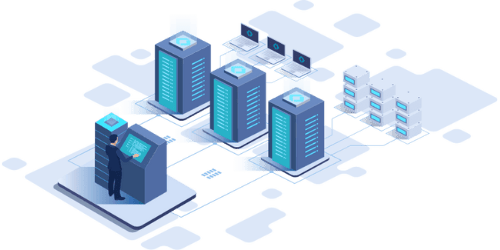
Understanding Data Backup
Data backup is the process of copying digital data from a primary location to a secondary location as a precautionary measure. This ensures that the data can be restored in case of hardware or software failure, data corruption, malicious attacks, accidental deletion, or other data loss incidents.
Types of Data Backup
Organizations can perform data backups either manually or by using specialized backup software solutions. There are numerous data backup software options available, each tailored to address specific concerns and vulnerabilities. Choosing the right backup strategy can be challenging, as it requires careful consideration of the organization’s unique needs and potential risks.
Types of Data Backup Methods
Full Backup
A Full Backup involves copying all selected data files and folders. This comprehensive method ensures that all files are accounted for, resulting in shorter restoration times. However, it requires significant storage capacity and longer backup completion times.
Incremental Backup
An Incremental Backup only backs up data that has changed since the last backup, whether it was a full or incremental backup. This method results in shorter backup times by only saving the altered data. However, restoration can be time-consuming as it involves piecing together data from multiple backup instances.
Differential Backup
A Differential Backup saves any changes made since the last full backup. While it is slower than an incremental backup, it offers faster restoration times, as it only needs to restore the last full backup and the latest differential backup.
Mirror Backup
A Mirror Backup creates an exact copy of the source data files, similar to a full backup. This method is used by organizations to maintain identical replicas of their data for quick and straightforward recovery.
These backup methods offer different advantages and trade-offs in terms of speed, storage requirements, and restoration times, allowing organizations to choose the best strategy for their specific needs.
Comprehensive Backup Strategy
Using a combination of different backup types is advisable as it ensures a robust disaster recovery plan.
Backup Storage Techniques
3-2-1 Backup Rule
The 3-2-1 backup rule is a commonly recommended approach, suggesting that you maintain a total of three backups: two onsite (on different media) and one offsite. This diversified method helps safeguard against various types of data loss.
External Hard Drives
Devices such as solid-state drives (SSDs) and USB drives are popular for their portability and ease of use. Despite potential data loss over time, they remain a reliable backup option.
Backup Software Services
These services facilitate the selection of necessary data for backup and often include data encryption to protect against cyber threats.
Tape Backup
This method allows for the storage of large amounts of data, up to 9TB per tape. While efficient for volume, tape backups have longer restoration times and require complete data recovery rather than single file retrieval.
Cloud Backup
Cloud storage is highly favored for its safety and accessibility. It offers various options, including public, private, and hybrid cloud solutions, making it a versatile backup method.
Key Considerations for Choosing a Backup Solution
- Storage Capacity: Ensure the solution can accommodate your data volume.
- Cost: Evaluate the expense of the backup software and related services.
- Recovery Speed: Look for solutions with quick restoration times.
- Ease of Use: Choose user-friendly options to simplify backup management.
- Security: Ensure robust data encryption and security measures.
- Vendor Support: Consider the reliability and quality of support from the provider.

How can FAIZAL help?
If you would like to know more about the right Backup Approach suitable for your OT/SCADA/ICS infrastructure, contact us.